
Delete a shift or a batch
Remove one shift, or a shift and every later one in its batch.
- 1
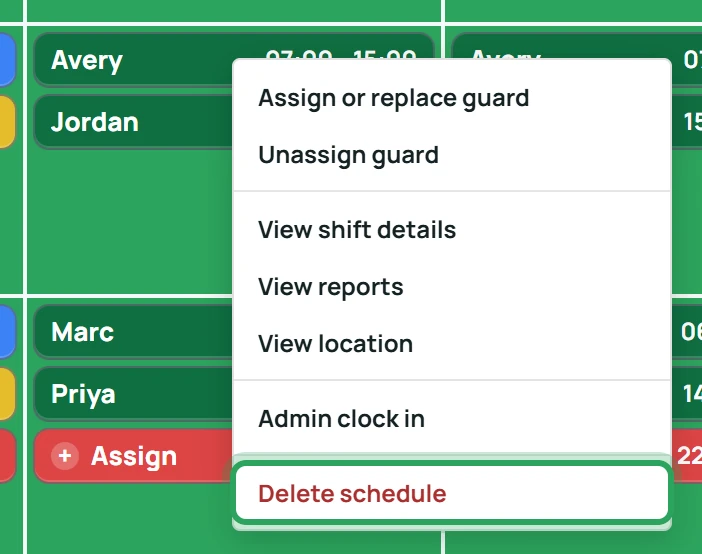
Right-click the shift and choose Delete schedule.
- 2
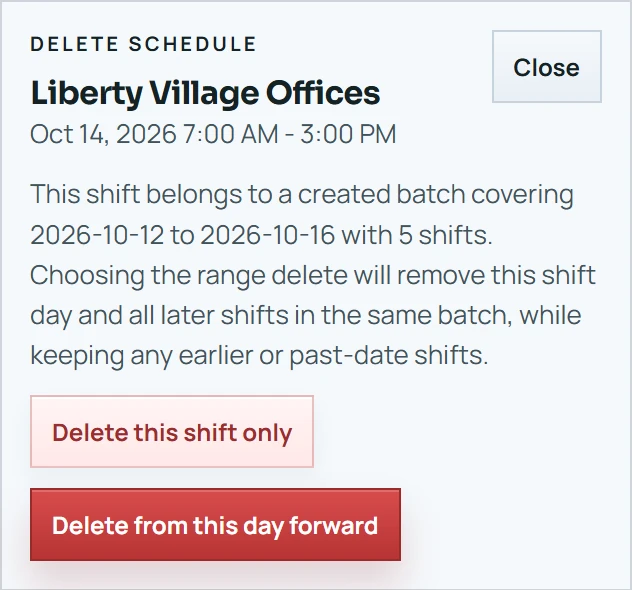
Click Delete this shift only, or — for a batch — Delete from this day forward to remove this day and all later shifts in the batch. Earlier and past shifts are kept.
Good to know
- Deleting a shift also permanently deletes its daily reports, incidents and patrol scans. Download any reports you need first.
More in Scheduling shifts
Add a shiftAssign or replace the person on a shiftWhen an assignment goes over the weekly limitDuplicate a shiftFix a missed clock-in or clock-outOvernight shiftsStill stuck? Our team is happy to help.Contact support