
See who's on duty
Check at a glance who is clocked in right now, and open their live location.
- 1
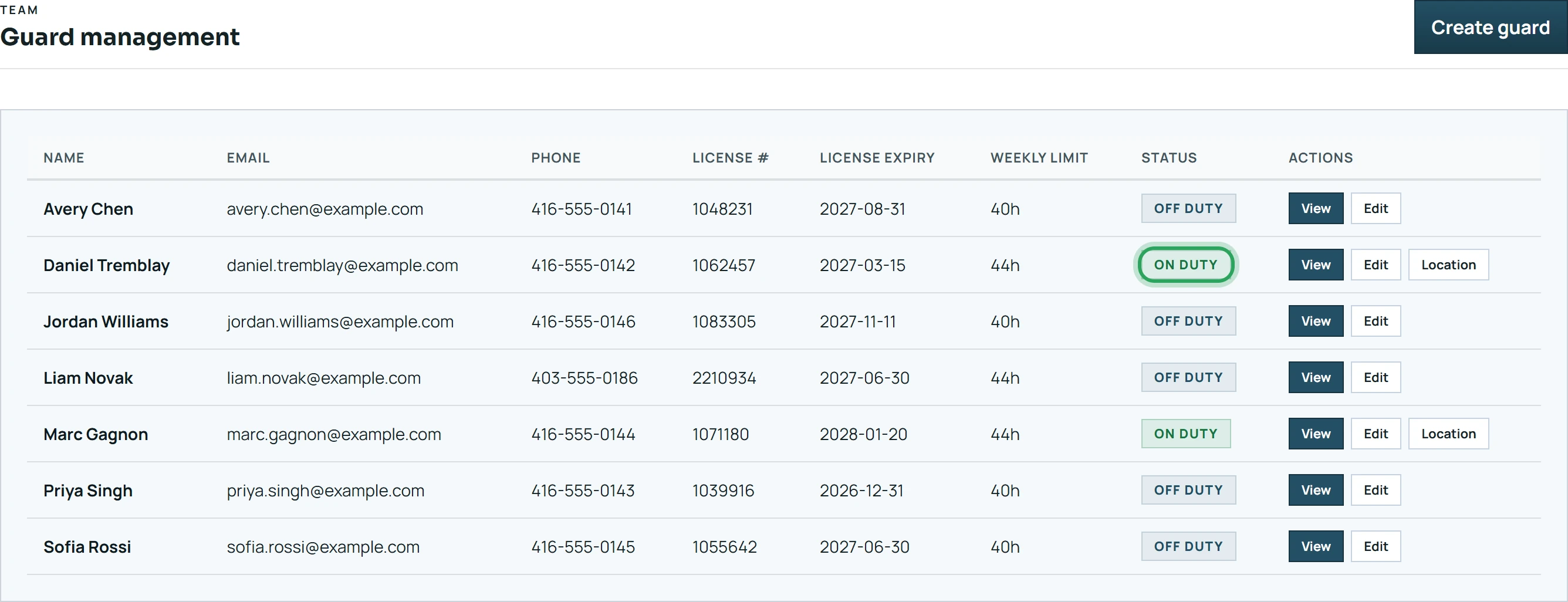
Open Team. The Status column shows On duty for anyone clocked in and not yet clocked out, and Off duty for everyone else.
- 2
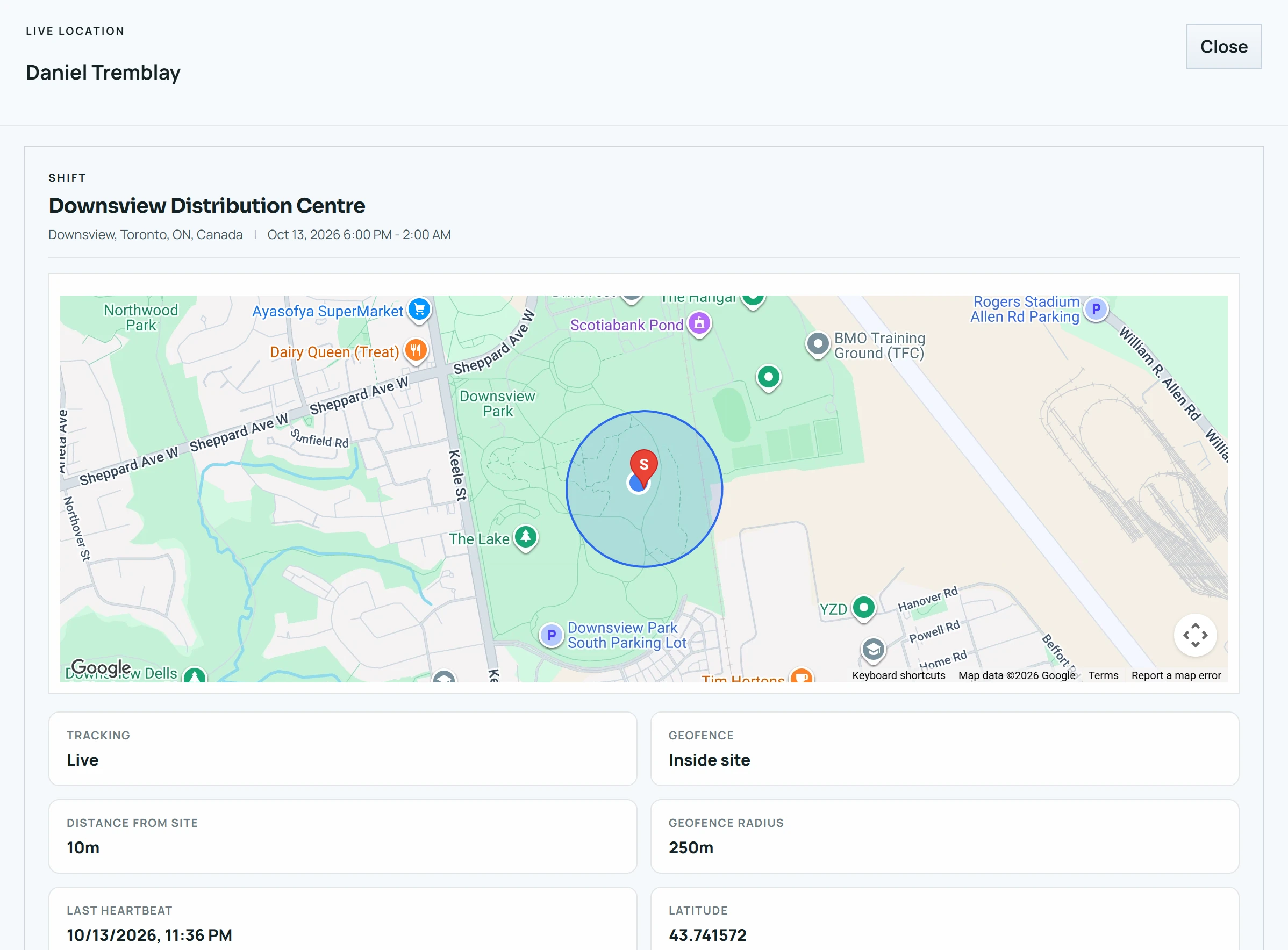
Click Location next to someone on duty to see where they are on the map.
- 3
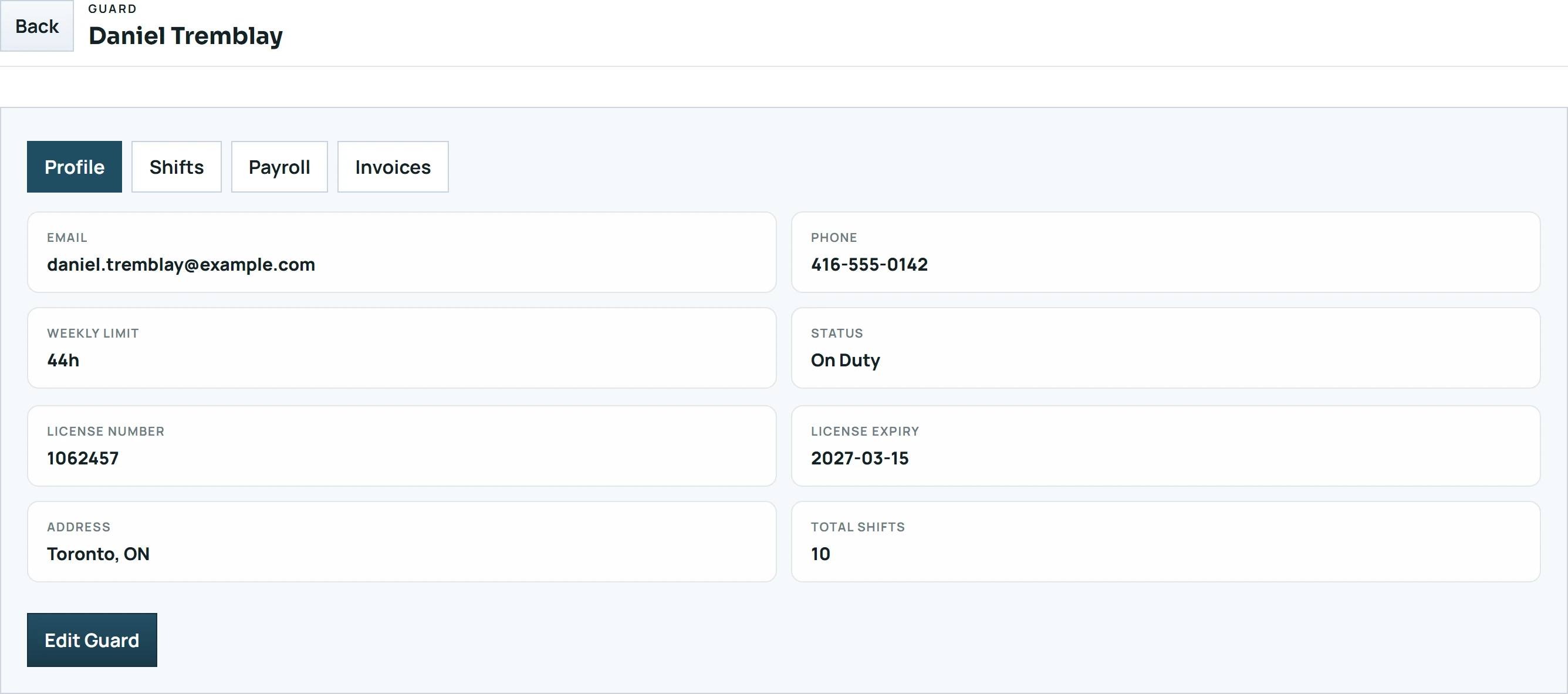
Click View for their profile, recent shifts and payroll hours.
More in Staff
Add a staff member and their app loginSet pay rates and weekly hour limitsWhen a staff member forgets their passwordHandle a staff account deletion requestStill stuck? Our team is happy to help.Contact support