
What the colours on the board mean
A quick guide to every shift colour and marker on the Operations Board.
- 1
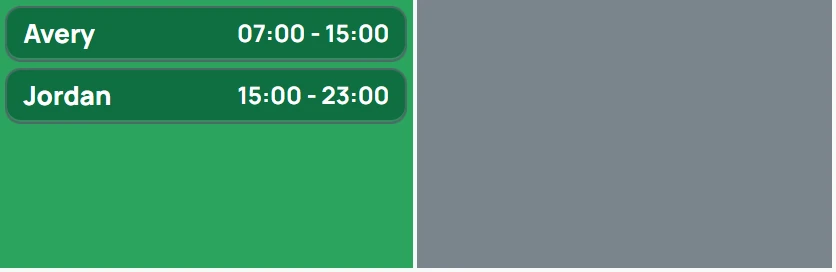
Dark green — assigned, and the shift hasn't started yet.

- 2
Yellow — the person has clocked in and the shift is in progress.

- 3
Yellow with a grey time badge — they clocked in late. The badge stays on the shift after it's completed.

- 4
A dot before the name — the clock-in was recorded by an admin in the portal, not from the app.

- 5
Blue — completed: clocked in and clocked out.

- 6
Red with + Assign — an open shift with nobody assigned. It needs coverage.

- 7
Red and blinking — needs attention now: the shift started with no clock-in (it stays red until they clock in), the person left the geofence, or it's a no-show. The alarm sounds until it's resolved or acknowledged.

- 8
Grey — a cancelled or inactive shift.

- 9
A grey day cell (behind the shifts) — the site is closed that day.
- Click Learn what colors mean at the bottom of the sidebar to see this guide inside the portal.
- A yellow (clocked-in) shift that blinks means the person's phone has stopped reporting its location for more than 5 minutes.