
Unassign a shift
Take a person off a shift so it's open again.
- 1
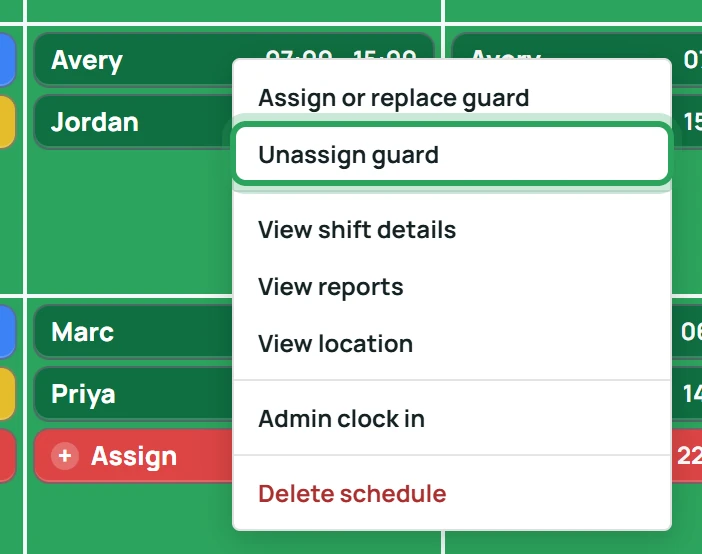
Right-click the shift and choose Unassign guard.
- 2
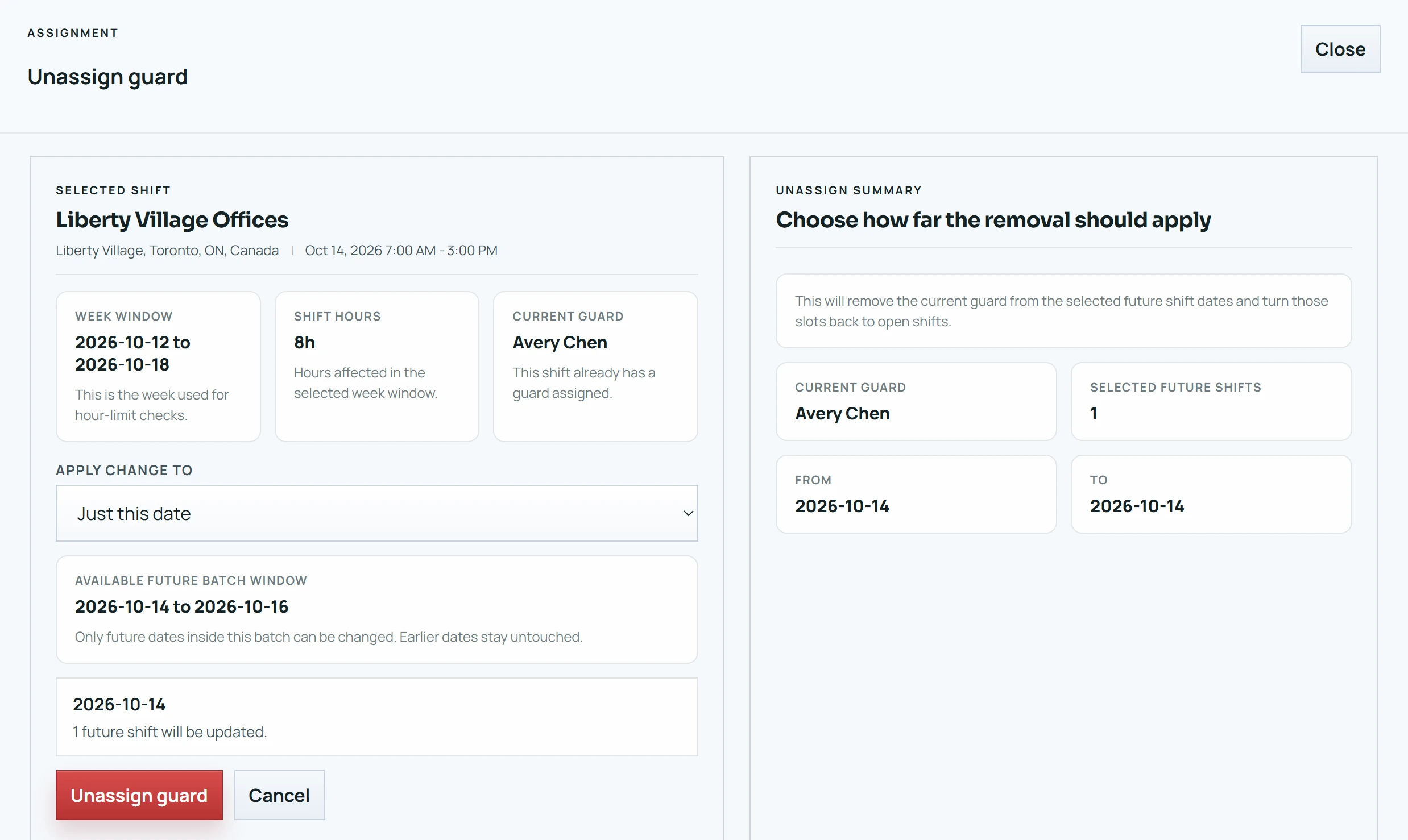
Choose which dates to change if the shift is part of a batch, then confirm. You'll see “Guard removed and the shift is open again.”
Good to know
- Unassigning also clears the shift's clock-in, clock-out and location history — even on past shifts. To change who worked a past shift, use Assign or replace guard instead.
More in Scheduling shifts
Add a shiftSchedule shifts over a date rangeWhen an assignment goes over the weekly limitDuplicate a shiftFix a missed clock-in or clock-outOvernight shiftsStill stuck? Our team is happy to help.Contact support