
Ask for your account to be deleted
Request removal of your personal data from the app.
- 1
Tap Profile, then Request account deletion.
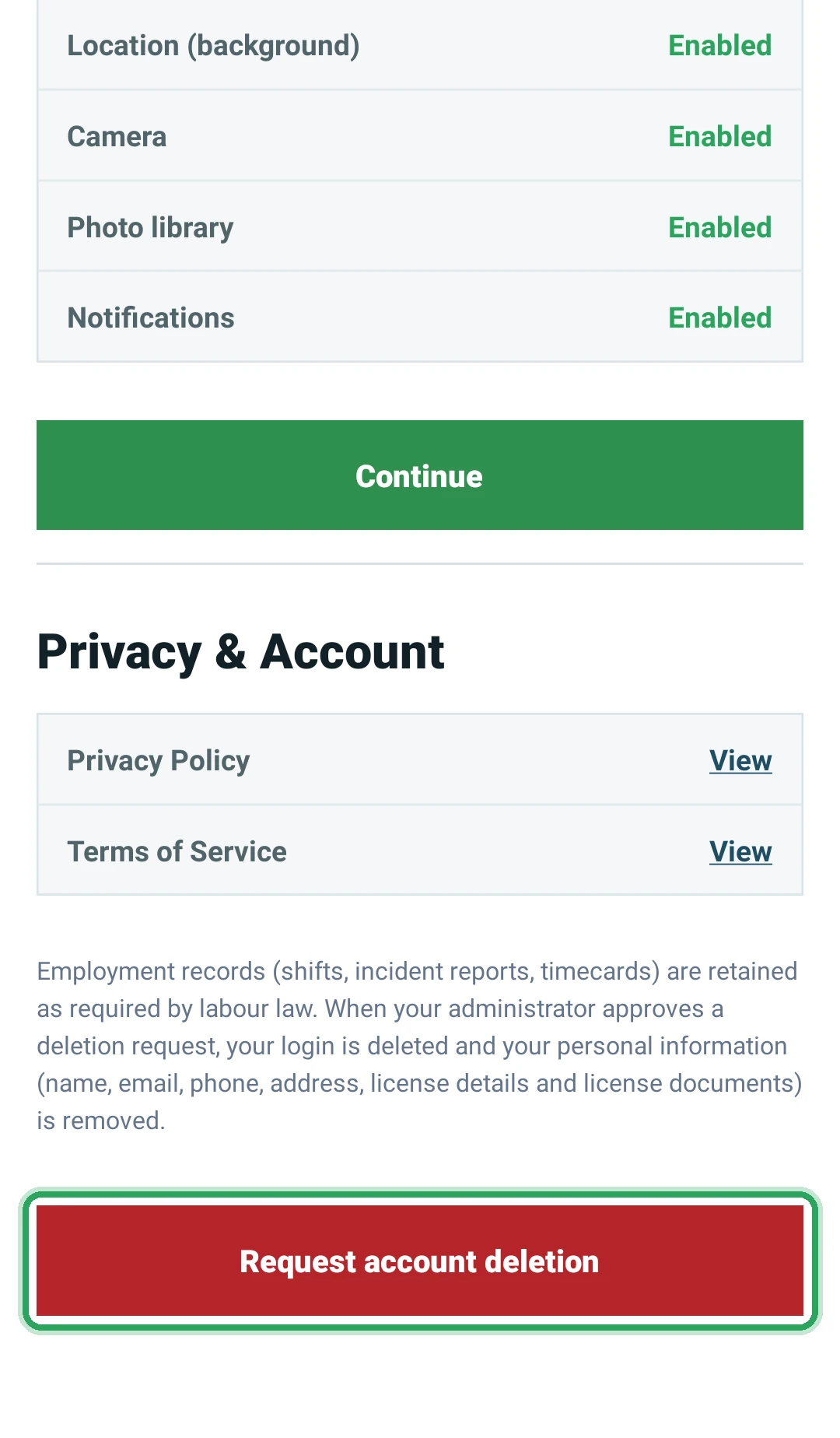
- 2
Confirm with Submit request. You'll see “Deletion request submitted. Your administrator will review it.”
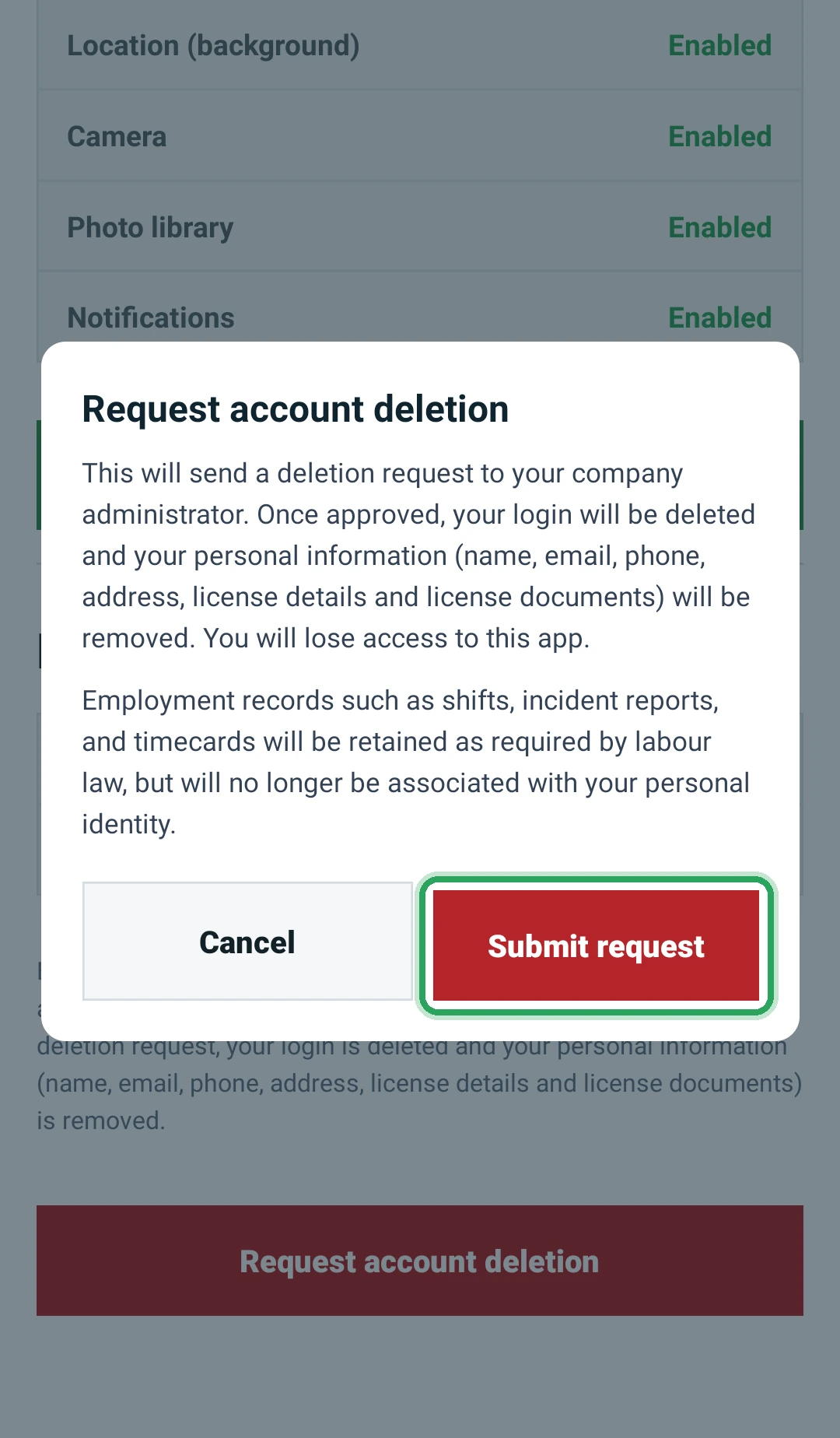
- 3
Your manager approves or denies it. If it's denied, you'll see their reason and can ask again.
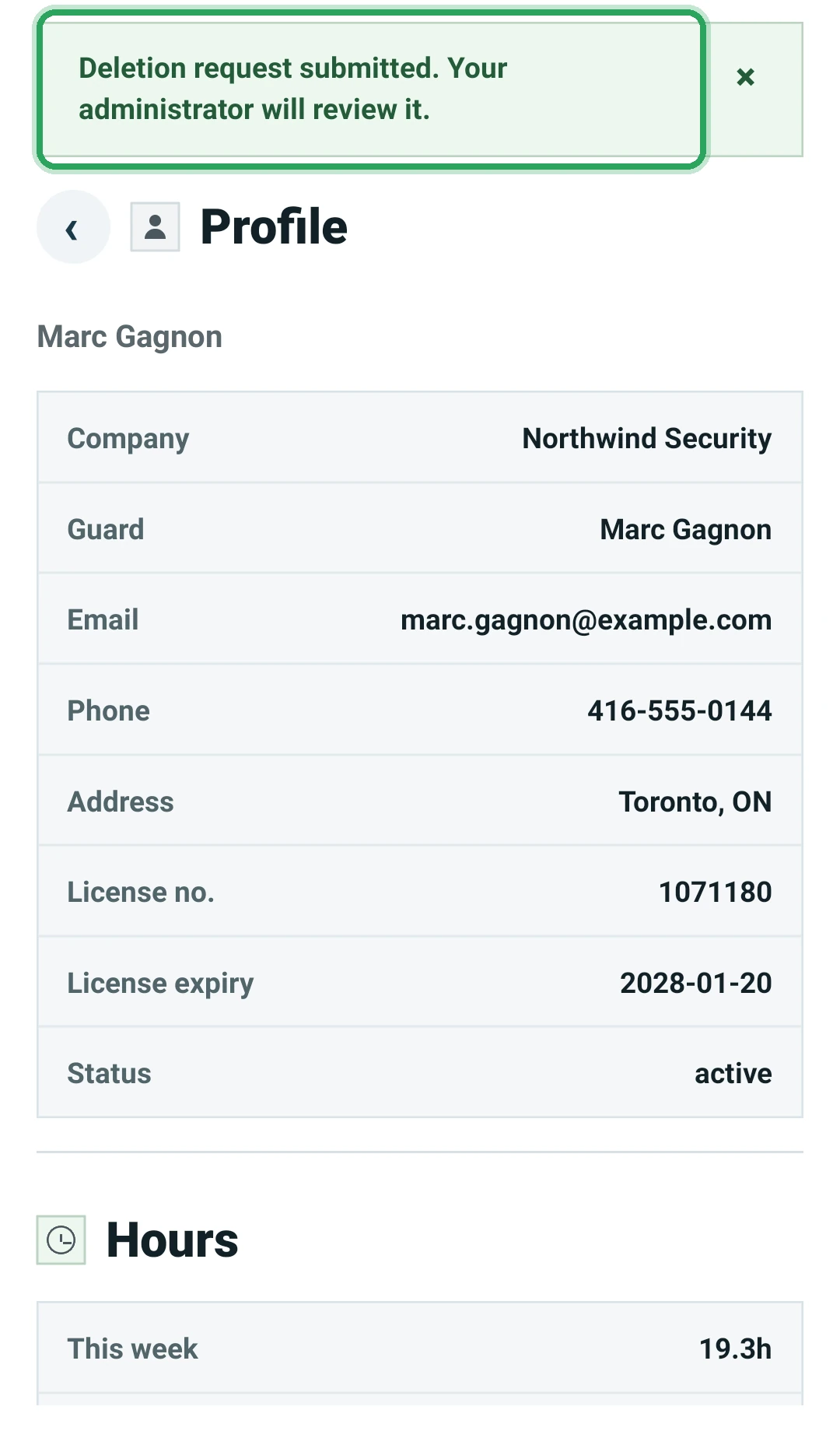
- 4
If it's approved, your login is deleted and your personal information (name, email, phone, address, license details and license documents) is removed.
Good to know
- Your employer keeps work records such as shifts, reports and timecards.
More in The staff app
Install the Command Station Guard appSign in to the appAllow location, camera and photosSee today's and upcoming shiftsClock in at the start of your shiftClock out at the end of your shiftFile your daily reportReport an incidentScan patrol checkpoints (guard tour)Your profile, hours and permissionsStill stuck? Our team is happy to help.Contact support