
When an assignment goes over the weekly limit
What the hour-limit warning means and how to override it when you need to.
- 1
When you assign a shift, the portal adds up the person's hours for that Monday-to-Sunday week. If the new shift takes them over their Weekly hour limit, you'll see “This assignment goes over the weekly limit by Xh.” as soon as you pick them. Clicking Assign guard anyway shows “This assignment exceeds the guard weekly limit by Xh. Enable override to continue.”
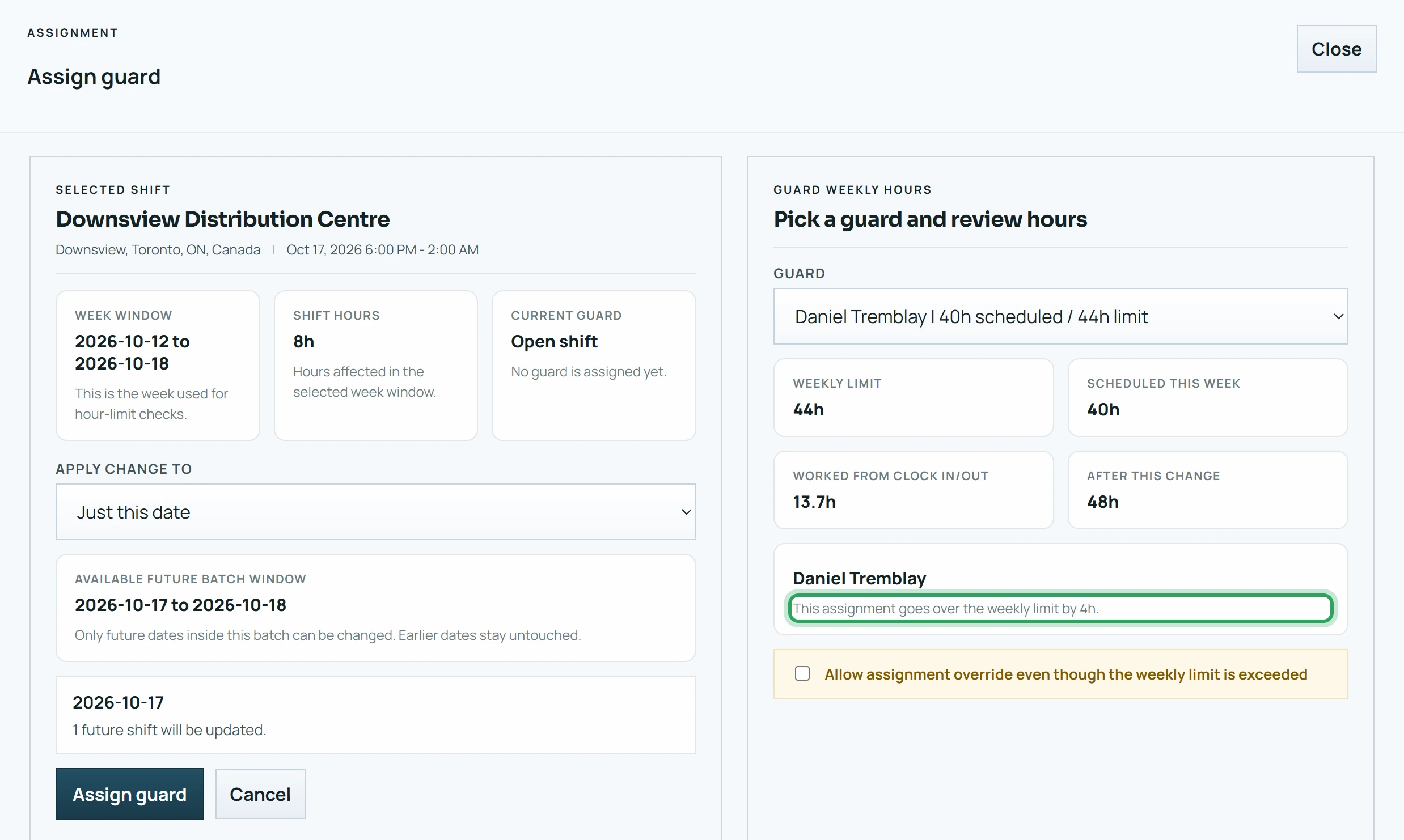
- 2
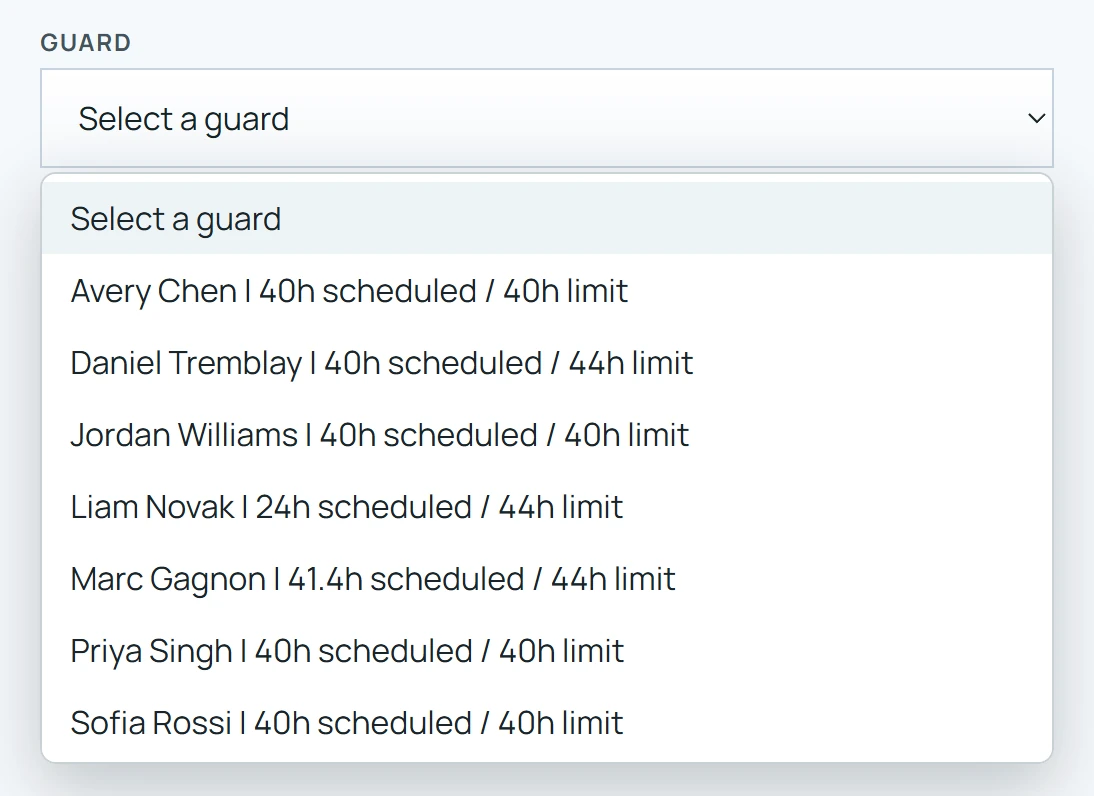
Pick someone with more hours left — each name in the list shows their scheduled hours and limit.
- 3
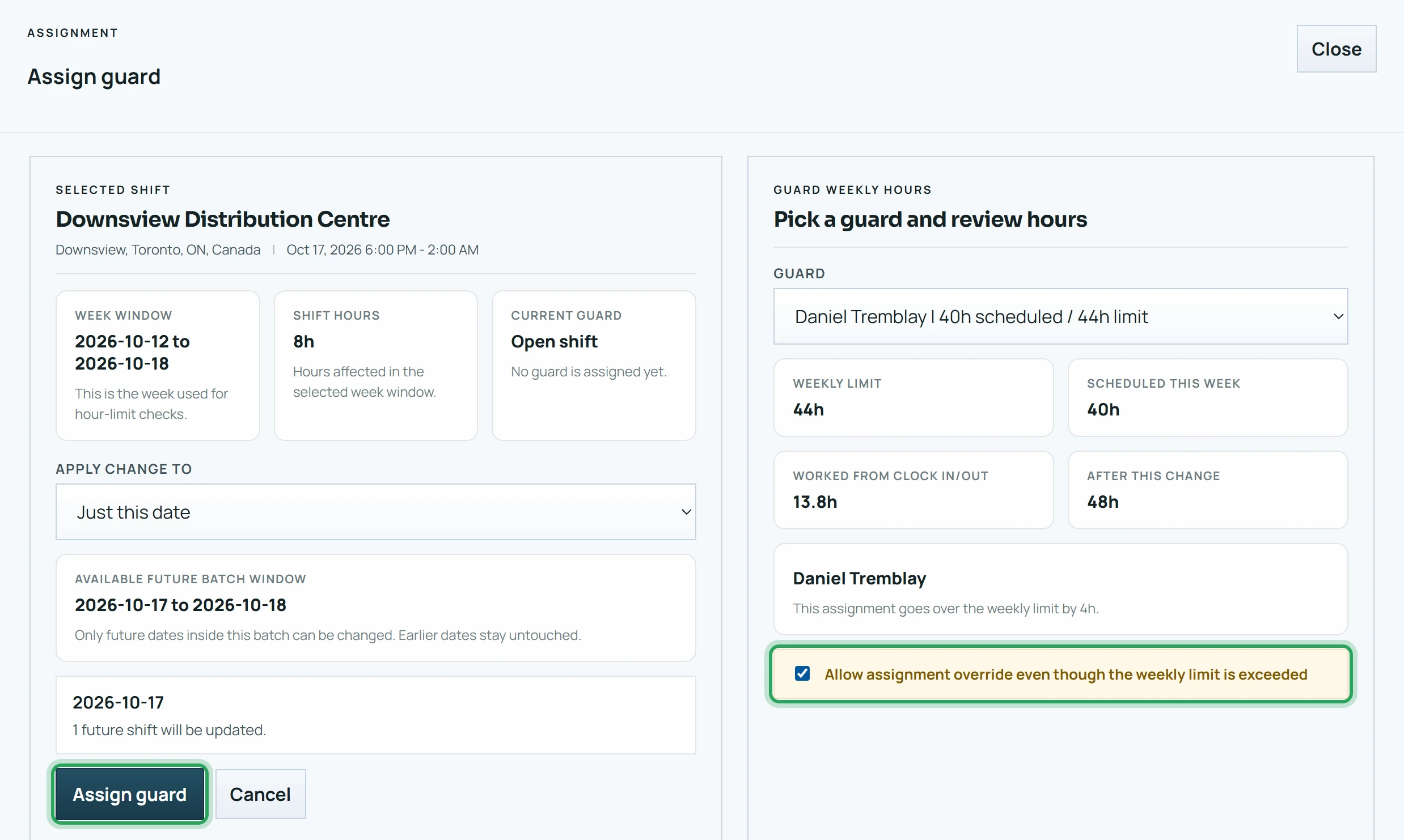
If the overtime is approved, tick Allow assignment override even though the weekly limit is exceeded and click Assign guard.
Good to know
- To change someone's limit, edit them under Team.
More in Scheduling shifts
Add a shiftSchedule shifts over a date rangeUnassign a shiftDuplicate a shiftDelete a shift or a batchFix a missed clock-in or clock-outOvernight shiftsStill stuck? Our team is happy to help.Contact support