
Set pay rates and weekly hour limits
Change how a staff member is paid and how many hours a week they can be scheduled.
- 1
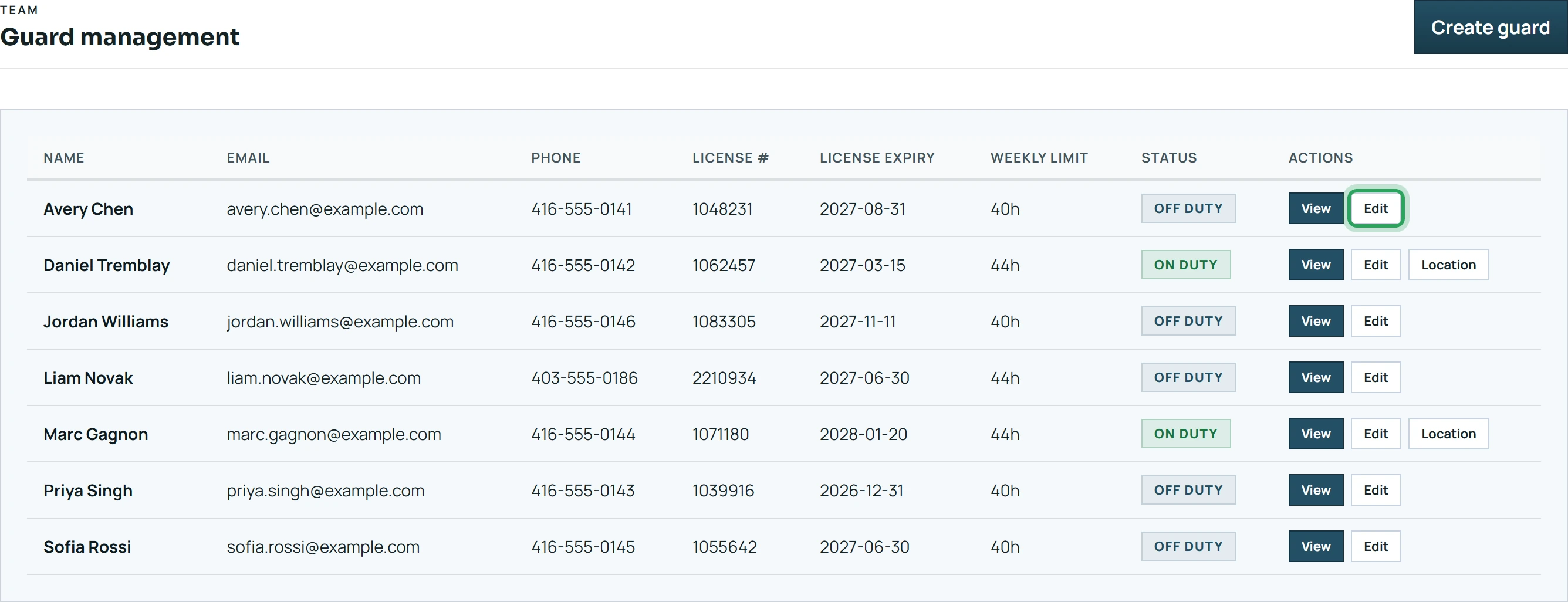
Open Team and click Edit next to the staff member.
- 2
Change the Weekly hour limit (between 1 and 168 hours, counted Monday to Sunday).

- 3
Change the Pay type and the Hourly rate or Flat salary.

- 4
Save. You'll see “Guard profile updated.”

Good to know
- The hour limit is checked when you assign shifts. Going over it needs a deliberate override.
- Pay invoices under Accounts → Team Invoices use these rates.
More in Staff
Add a staff member and their app loginWhen a staff member forgets their passwordSee who's on dutyHandle a staff account deletion requestStill stuck? Our team is happy to help.Contact support